
GEXNO / Guides / JSON to TypeScript: Generate Interfaces Online and Ditch any
JSON to TypeScript: Generate Interfaces Online and Ditch any
Hand-writing TypeScript types from API JSON is exhausting. Convert JSON to interface / type online — nested objects split automatically, processed locally, never uploaded.
Why TypeScript projects depend on type generation
The first step of any integration is typing the response. Without types, TypeScript degrades into "JS with curly braces": any everywhere, refactoring and editor hints dead.
Hand-written typing effort scales with the field count and must be maintained on every contract change. A generator turns the loop into paste JSON → copy interface, leaving only human review.
interface or type?
For object shapes they are nearly equivalent. Follow team convention: most projects model APIs with interface and use type for unions and utility types. The generator emits interface — changing the keyword takes a second.
From response sample to type definition
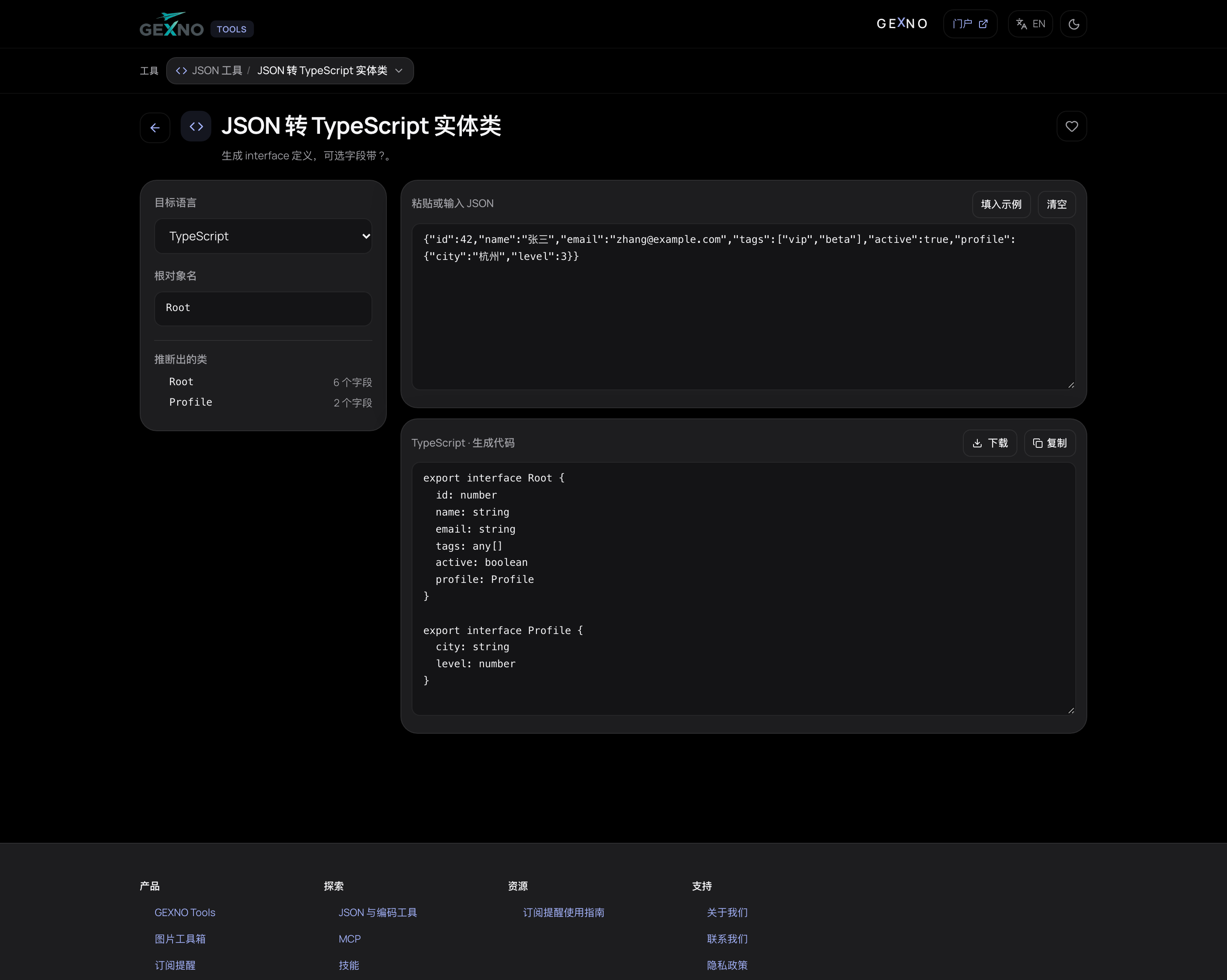
Open the JSON to TypeScript tool, paste a response, and interface definitions split by nesting level appear on the right — copy them into types.ts and go.
Like every tool on the site, the conversion runs locally: production sample data is never uploaded.
Three things to do after generating
- Review optionality: fields missing from the sample may still exist; add ? where the API docs mark them nullable.
- Refine array element types: the tool may emit wide types — narrowing to string[], Tag[] etc. is what makes editor hints useful.
- Narrow enum-ish strings: status/type fields deserve literal unions (type Status = "active" | "disabled"); don't forget to type timestamps semantically too.
Pair it with JSON validation
The sample itself may be broken (truncated on copy, carrying comments). Validate the JSON first, then generate types — it saves a round of "why is the generated type empty" confusion.
FAQ
Does JSON-to-TypeScript conversion upload my data?
No. GEXNO Tools runs the conversion locally in your browser; pasted JSON never touches a server.
interface vs type — what's the difference?
For object shapes, nearly equivalent. interface supports inheritance and declaration merging; type excels at unions and mapped types. Standardize on one per team.
How are array fields typed?
Arrays generate Array<T> or T[] for the element type; review and unify types when elements differ — exact inference depends on the tool's output.
How do I represent nullable fields?
Fields that are null in the sample produce unions like string | null; confirm against the API docs whether nullability is real.
What if a field name isn't a valid identifier?
The generator quotes it; access via obj["weird-name"] or generate a mapping function to normalize names.