
GEXNO / Guides / How to Format JSON Online: Minify, Validate and Read Error Messages
How to Format JSON Online: Minify, Validate and Read Error Messages
JSON squashed into one unreadable line? Learn to format, minify and validate JSON online, and recognize the most common JSON errors — trailing commas, single quotes, smart quotes. All local.
Why JSON is always one giant line
API responses ship without whitespace to save bandwidth: tens of thousands of characters on a single line, unreadable by humans. Pretty-printing expands it with indentation so the structure is obvious.
The reverse also matters: sometimes you need to minify — collapse indented JSON into one line for config files, environment variables or single-line log output. Formatting and minifying are two directions of the same operation.
Format, minify, validate — one page
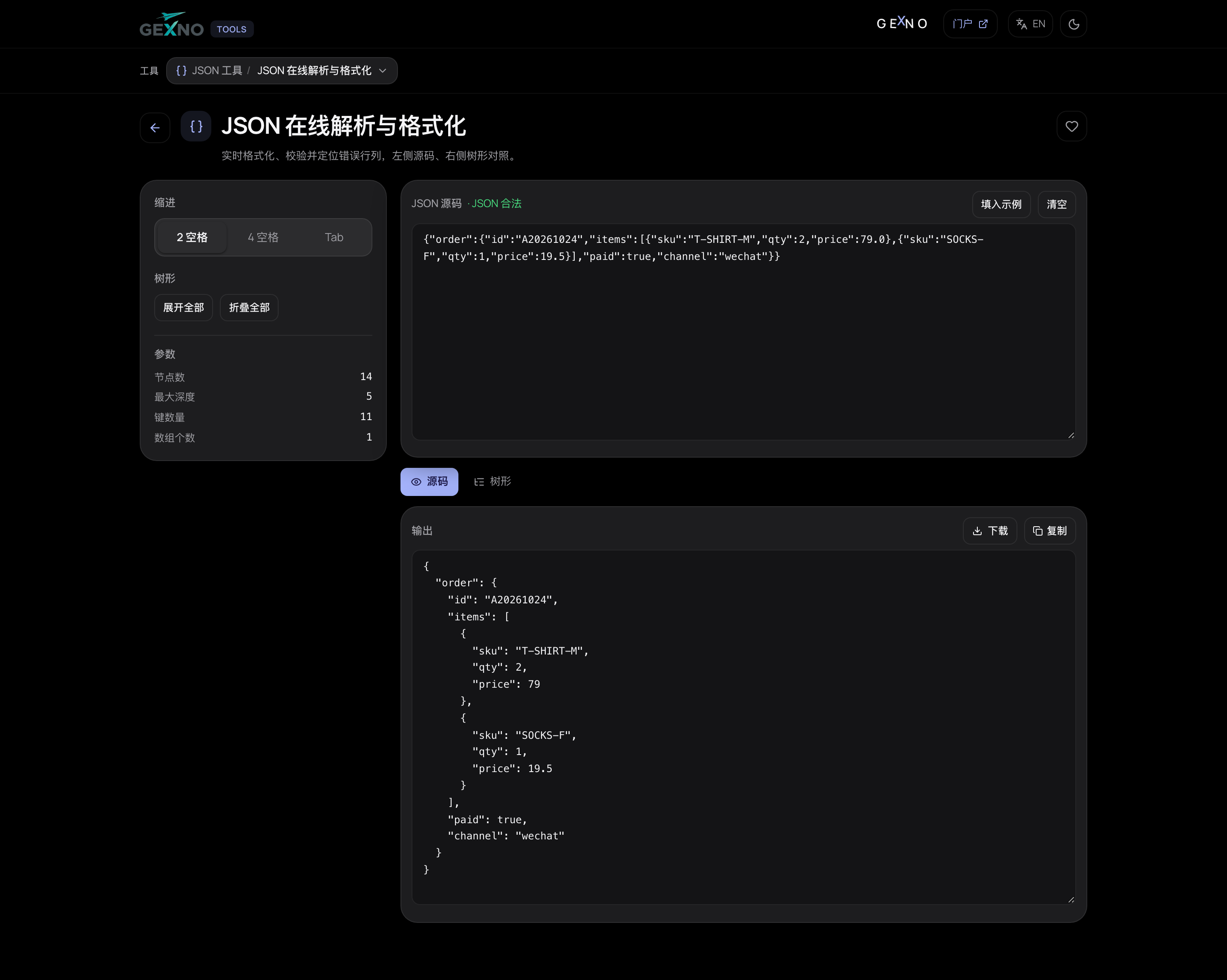
The JSON formatter in GEXNO Tools supports three modes: format (expand), minify (one line) and validate (check syntax without touching content). Paste and get results instantly; data is processed locally in your browser, never uploaded.
The 5 most common JSON errors, spotted at a glance
When validation fails, 90% of the time it's one of these:
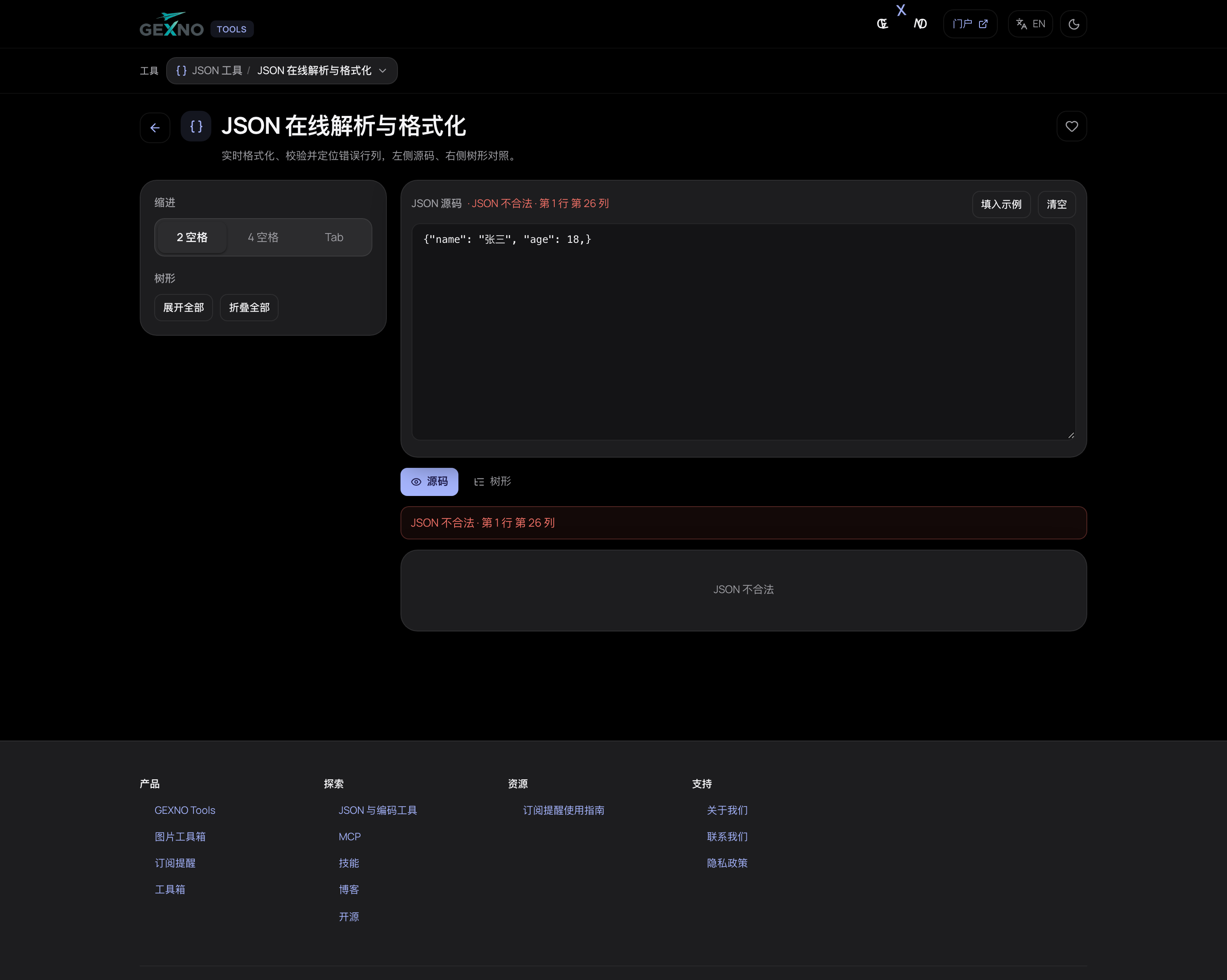
- Trailing comma: an extra comma after the last element of an array or object — JS object literals allow it, JSON does not.
- Single quotes: JSON strings require double quotes; {'name': 1} is invalid.
- Smart quotes / full-width characters: content copied from docs or chat often carries “” ‘’ — nearly invisible to the eye, trivial for a validator.
- Unquoted keys: {name: 1} is illegal; it must be {"name": 1}.
- Trailing whitespace / invisible characters: JSON copied from PDFs or web pages can contain zero-width characters — paste into an editor and delete them.
Two high-frequency scenarios
Reading API responses: format first, read the structure from the outermost level; tree-view tools like JSON Hero are better for drilling into deep nesting.
Editing config files: validate before editing and again after. Production config blowups are almost always a trailing comma.
FAQ
Does formatting change my data?
No. Formatting only adjusts whitespace and indentation; values are untouched. Minifying is the same. Validate mode is strictly read-only and reports syntax errors.
What does "Unexpected token" mean?
Usually one of the five errors above: trailing comma, single quotes, smart quotes, unquoted keys or invisible characters. Check the characters near the reported line and column.
Does JSON allow comments?
Standard JSON does not. For config files use JSON5/JSONC, or put explanations in adjacent keys.
Will a huge JSON file lag?
Local parsing depends on device memory; a few MB is effortless. For hundreds of MB, split the file with command-line tools first.
Can I use formatted JSON directly?
Yes. Whitespace and newlines don't change JSON semantics — programs parse both identically; formatting is purely for humans.